Viro AI Is Now on Windows
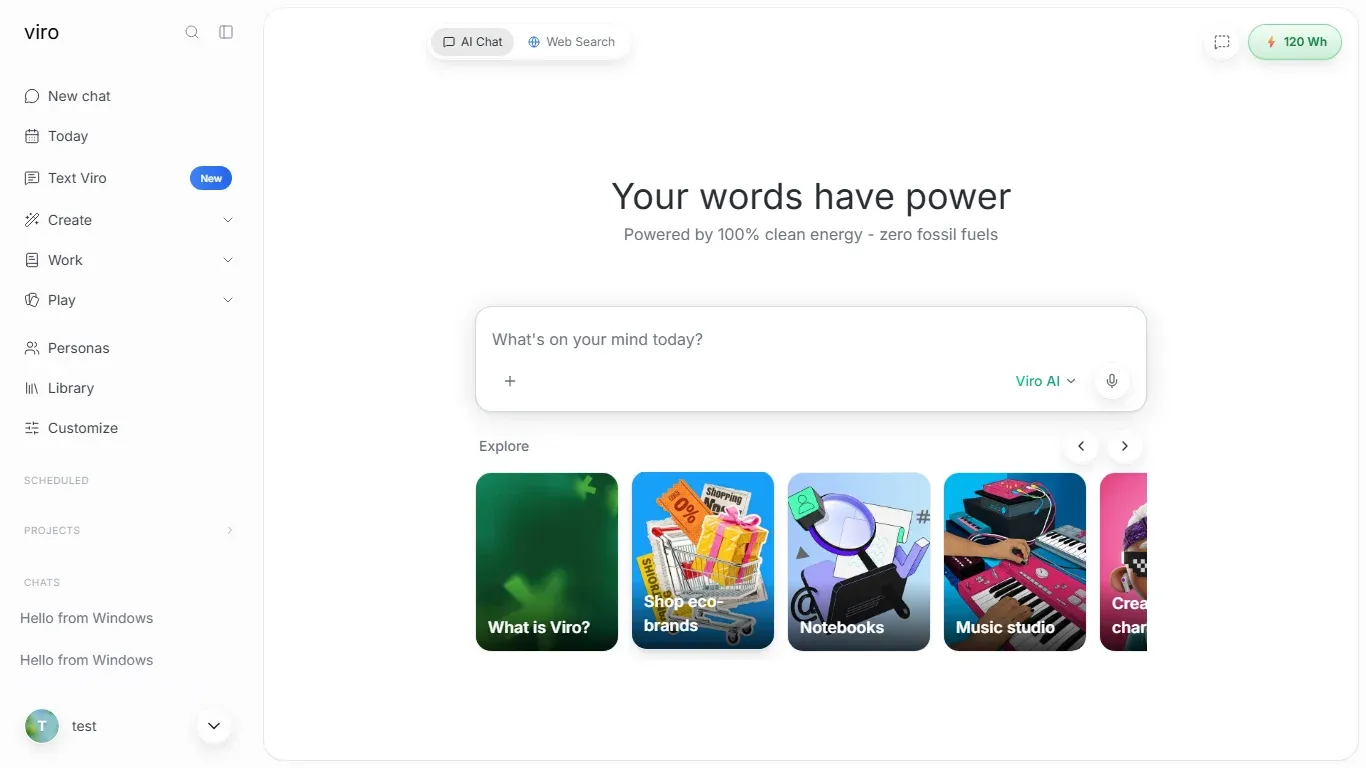
Viro is now a free Windows app on the Microsoft Store. ChatGPT, Claude, Gemini and Viro's own clean-powered AI in one window, on Windows 10 and 11, x64 and Arm.
Viro is now on Windows.
It’s a free app on the Microsoft Store, with its own window, its own Start menu entry and notifications. It runs on Windows 10 and 11, on both regular (x64) and Arm PCs.
The short version
- Free on the Microsoft Store. Search “Viro AI” or get it here.
- Windows 10 or later, x64 and Arm.
- One app, several AIs: Viro’s own model plus ChatGPT, Claude and Gemini, switchable in the model menu.
- Your account comes with you: same chats, memory and settings as on the web and your phone.
- Clean-powered: Viro’s own model runs in data centers powered by hydro, geothermal and wind.
How to install Viro on Windows
- Open Viro in the Microsoft Store. Go to ai.viro.app/download on your PC and select Get for Windows, or search “Viro AI” in the Store app.
- Select Get. The Store installs it. There’s no installer to run and nothing to unblock.
- Open Viro from the Store or the Start menu. Right-click it to pin it to your taskbar.
Signing in
Use the same account you use everywhere else. If you pick Continue with Google, Apple or Microsoft, the sign-in page opens in your browser (those providers don’t allow sign-in inside app windows), then sends you straight back to Viro. Email sign-in happens inside the app.
What the Windows app adds
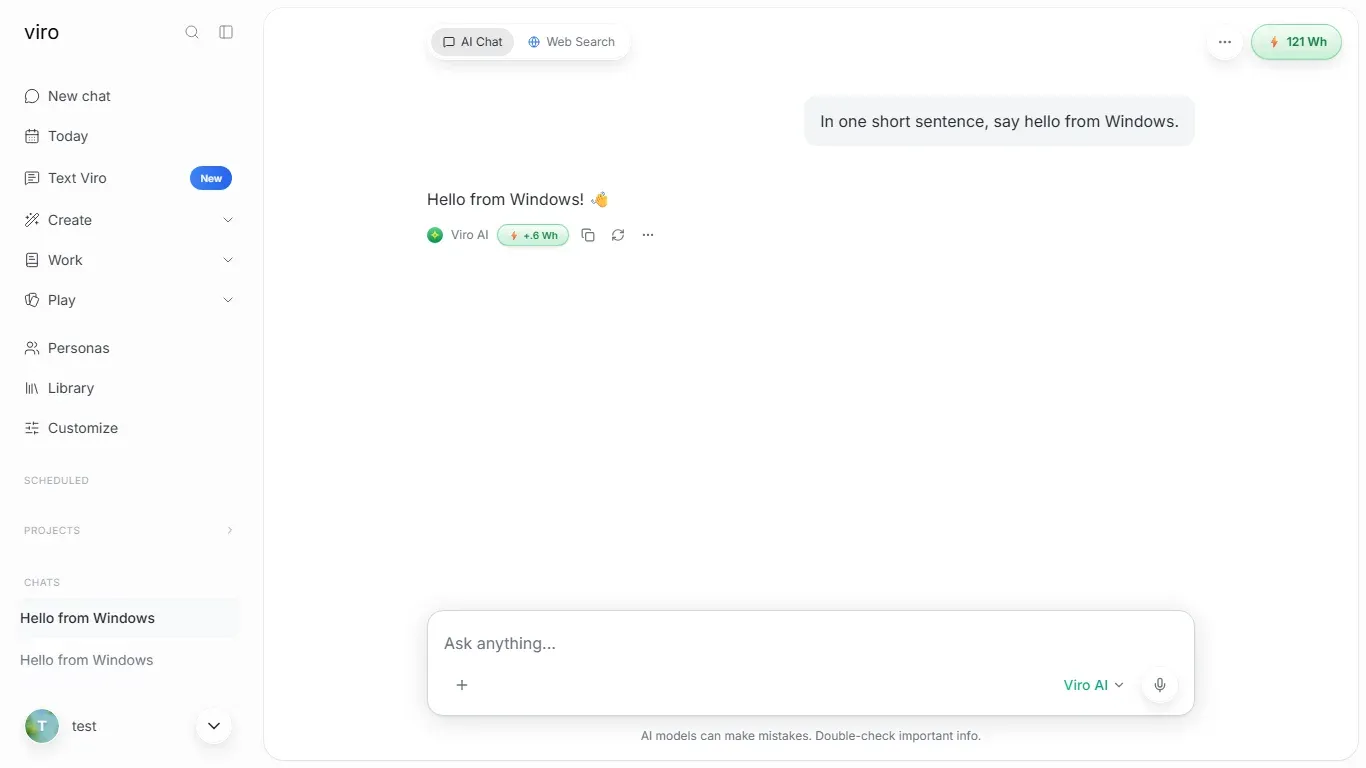
- Its own window. No tabs, no address bar. It sits in your taskbar and Alt + Tab like any other app.
- Notifications while Viro is open, such as when a scheduled task finishes. Turn them on in Settings → Notifications.
- Camera, microphone and location when you allow them.
- Always current. The app shows the live Viro, so new features arrive the moment they ship. The Store handles the rare app updates.
Why a Windows app
Most people who use AI at work use it on a Windows PC, often in a browser tab they keep losing. A real app is one click from the taskbar, and it’s the same Viro you already use on your phone.
It’s also the same Viro underneath: every reply shows its estimated energy, and Viro’s own model runs in data centers in Iceland, Norway, Finland and Ireland on renewable power. More on that in our guide to clean AI data centers.
On a Mac?
There’s an app for that too: Viro for Mac, which can also run Apple Intelligence right on your Mac.
Get it
Get Viro for Windows: free on the Microsoft Store.
Frequently asked questions
Is there a Viro AI app for Windows?
Yes. Viro AI is a free app on the Microsoft Store. Search for Viro AI in the Store app, or open ai.viro.app/download on your PC and select Get for Windows.
Which versions of Windows does Viro support?
Windows 10 or later, on both x64 and Arm PCs.
Is the Viro Windows app free?
Yes. The app is free, and so is Viro's free plan. You don't need a Microsoft account to install a free app from the Store.
Do I need a new account for the Windows app?
No. Sign in with the same account you use on the web or your phone, and your chats, memory and settings are already there.
Does the Windows app get notifications?
Yes, while Viro is open. Turn them on in Settings, then Notifications. When the app is closed, use the Viro app on your phone for notifications.
How does the Windows app update?
The Microsoft Store updates the app itself. Almost everything new in Viro reaches the app the moment it reaches the web, with nothing to install.
Sources
- Viro for Windows, Viro Help Center
- Viro AI on the Microsoft Store, Microsoft
- Our Data Centers, Viro Help Center
Cover photo by Nubelson Fernandes on Unsplash